
Score a game
Score a YAWK game live. Multiple Roster Pass holders can score the same game — YAWK uses consensus voting to decide the official details. Sport-specific entry fields are covered below.
Before you start
Make sure you have a Roster Pass for one of the teams
Anyone with a Roster Pass for the home or away team can score. The more pass-holders score the same game, the better the consensus.
Coaches and team managers without a player on the roster can buy a Scorer Pass — see the Buy a Roster Pass tutorial.
Enter the game
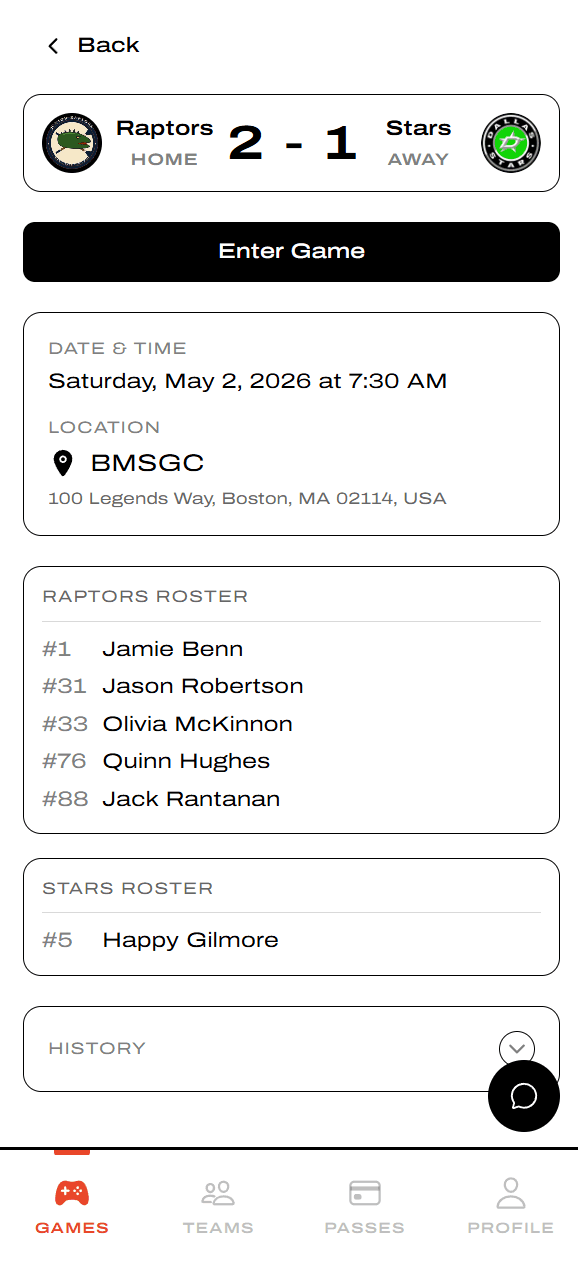
Tap Enter Game from the game detail
Open the game from the Games tab. The detail page shows the scoreboard, both rosters, and a big Enter Game button. Tap it to drop into the live scoring console.
Inside the scoring console
The console layout is the same across sports, but the labels adapt — periods become sets in volleyball, innings in baseball, halves in soccer, and so on.
Hockey console
Period-based. The Scoring Controls row uses End Period; the Block Score breaks out totals by period.
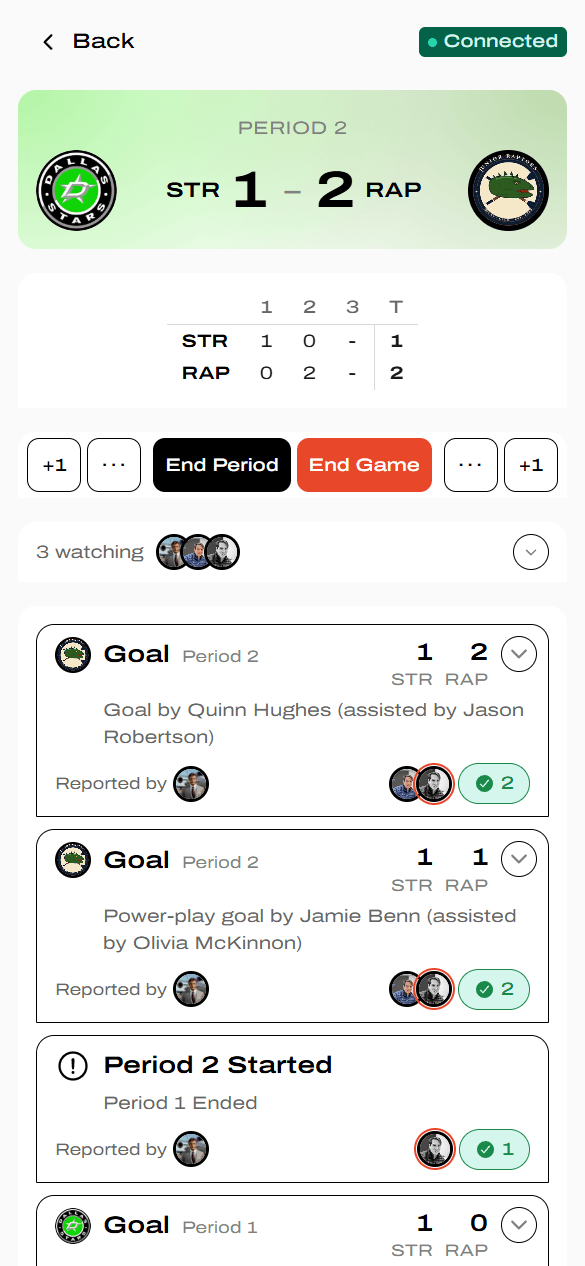
- Headline Score — current period/set, live score, and a green Connected indicator showing your real-time link is healthy.
- Block Score — totals by block plus the running T (total).
- Scoring Controls — two scoring buttons per team plus End Period / End Set / End Game. +1 is a quick score (no details). The ... button (labeled +Detail on larger screens) opens the detail modal so you can record the score and the details together.
- Play by Play — every score and block transition in chronological order, with the scorer's avatar and confirmations from other scorers.
Volleyball console
Set-based. End Period is replaced by End Set; the Block Score breaks out totals by set; events are Points instead of Goals.
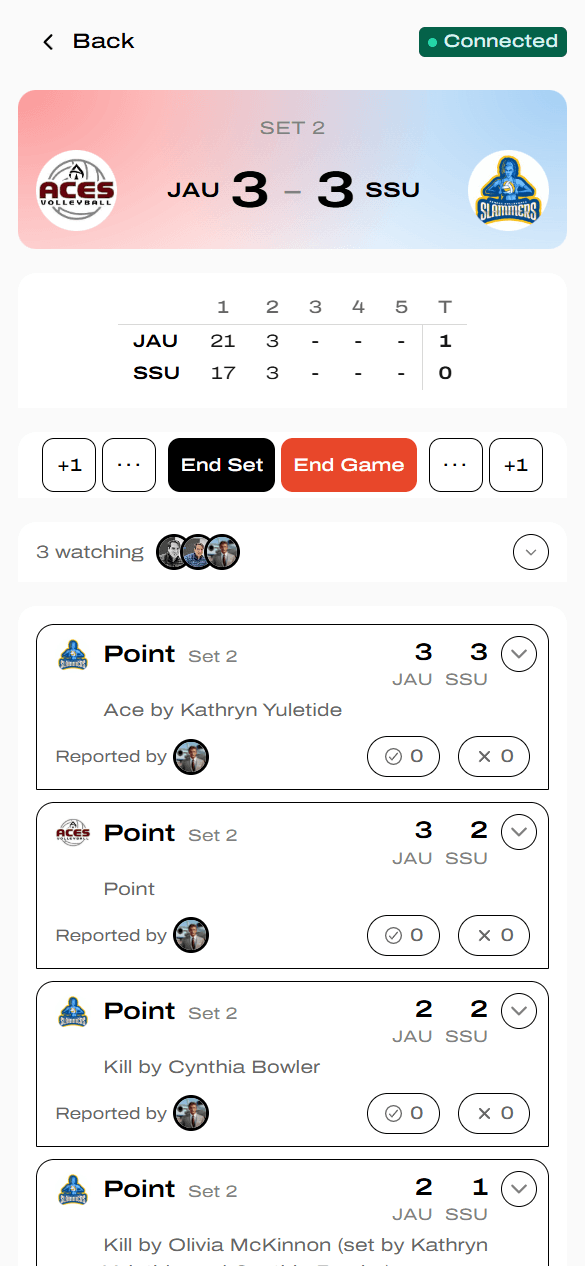
Scoring Controls and Block Score adapt to the sport. YAWK currently supports hockey, baseball, softball, basketball, soccer, football, flag football, lacrosse, field hockey, volleyball, and ultimate frisbee.
Add a score
Tap +1 for the scoring team to log the score immediately — no modal, no details. Tap the ... button next to it (or +Detail on a wider screen) to open the sport-specific detail modal and record the score plus details at the same time. The modal's fields change per sport.
Hockey: Add goal
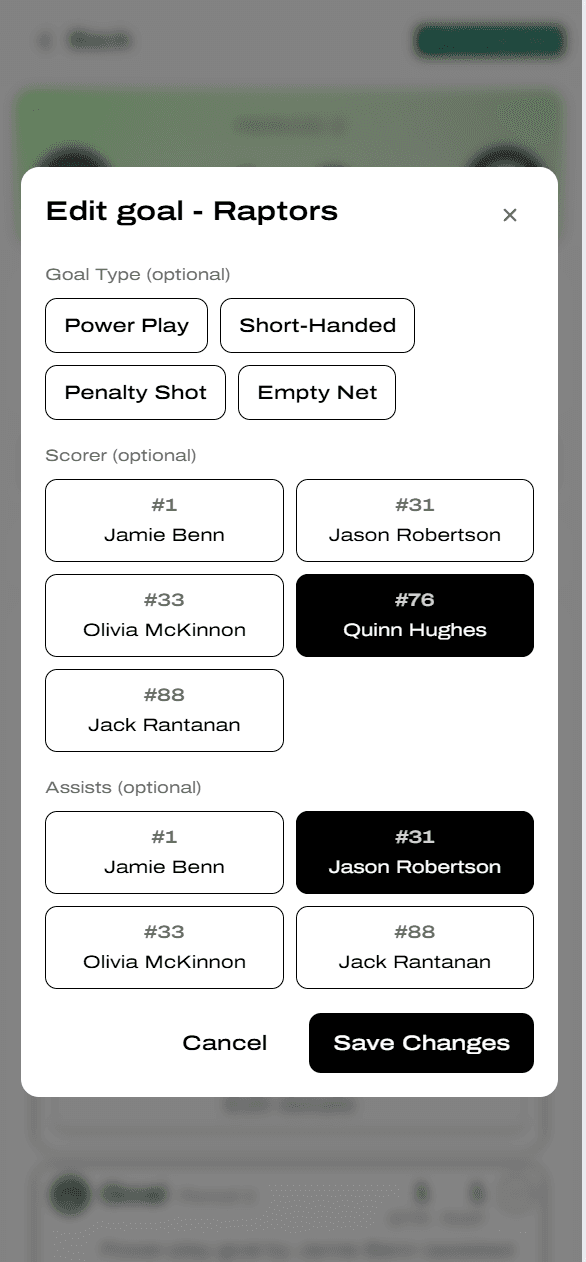
Pick an optional Goal Type (Power Play, Short-Handed, Penalty Shot, Empty Net), the Scorer, and up to two Assists.
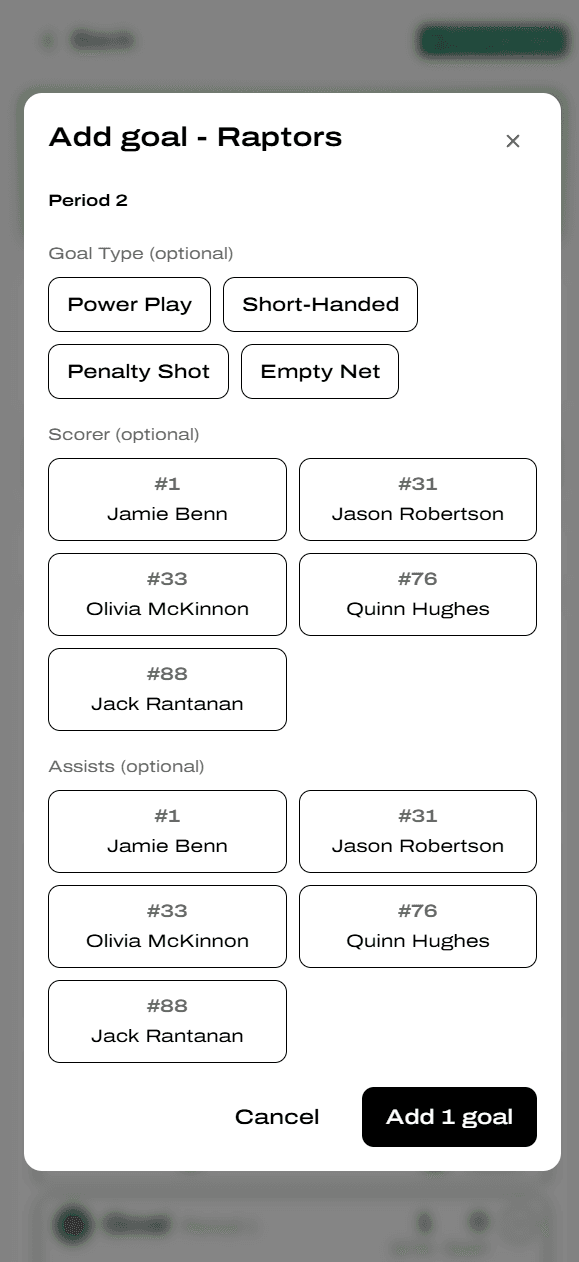
Every field in the detail modal is optional. Quick scores have no details until someone adds them — you or another scorer can fill them in later from the Play by Play.
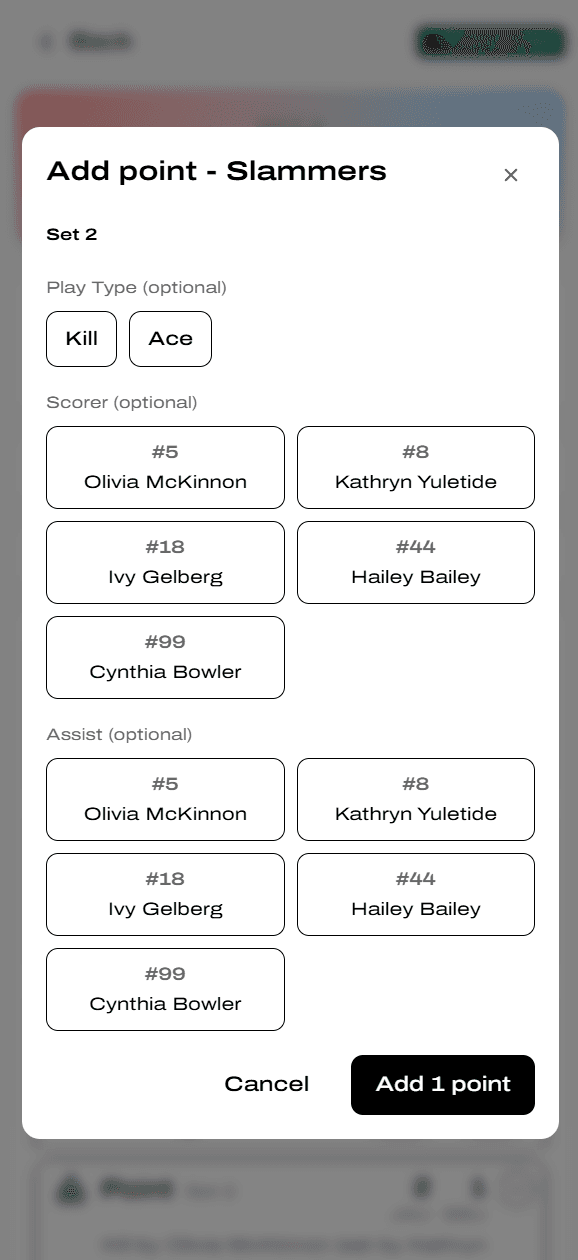
Volleyball: Add point
Pick an optional Play Type (Kill, Ace), the Scorer, and one optional Assist (typically the setter).
Confirm or dispute someone else's event
YAWK uses consensus voting. When several pass-holders score the same game, the version of an event with the most confirmations becomes the official record.
Tap an event to expand it
You'll see who reported it, who confirmed it, and the per-field tallies for scorer, assists, and goal type. If you saw the same play, your view counts as a confirmation automatically.
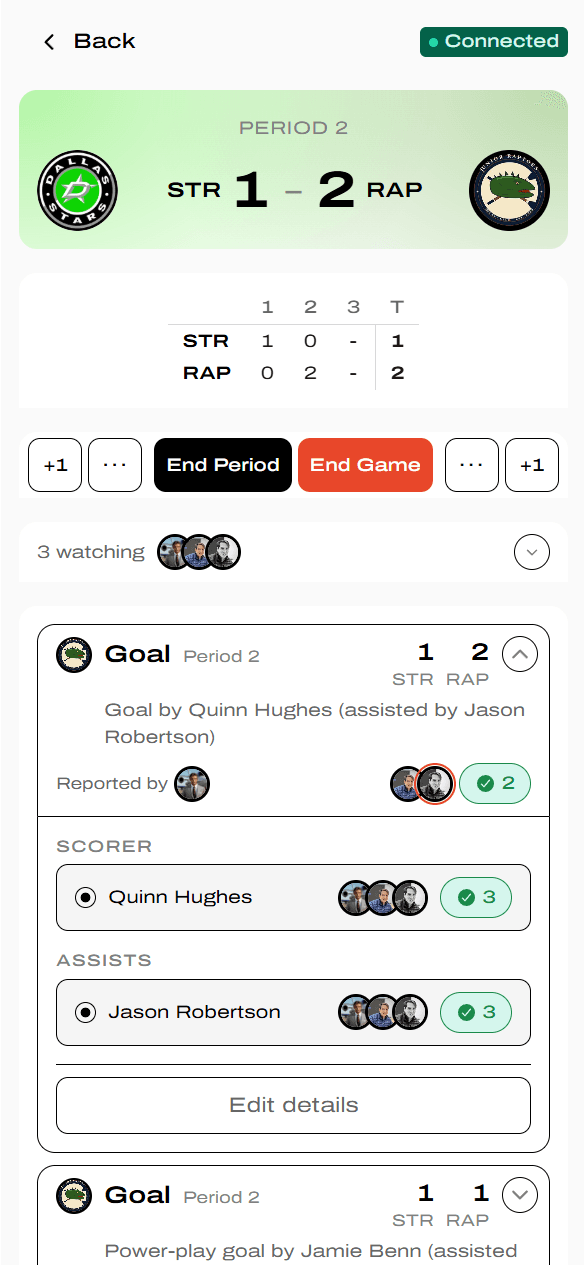
Tap Edit details to dispute
If you saw it differently, tap Edit details and propose your version. Your edit becomes a competing claim alongside the original — both stay visible until other reporters tip the balance.
How disputed events resolve
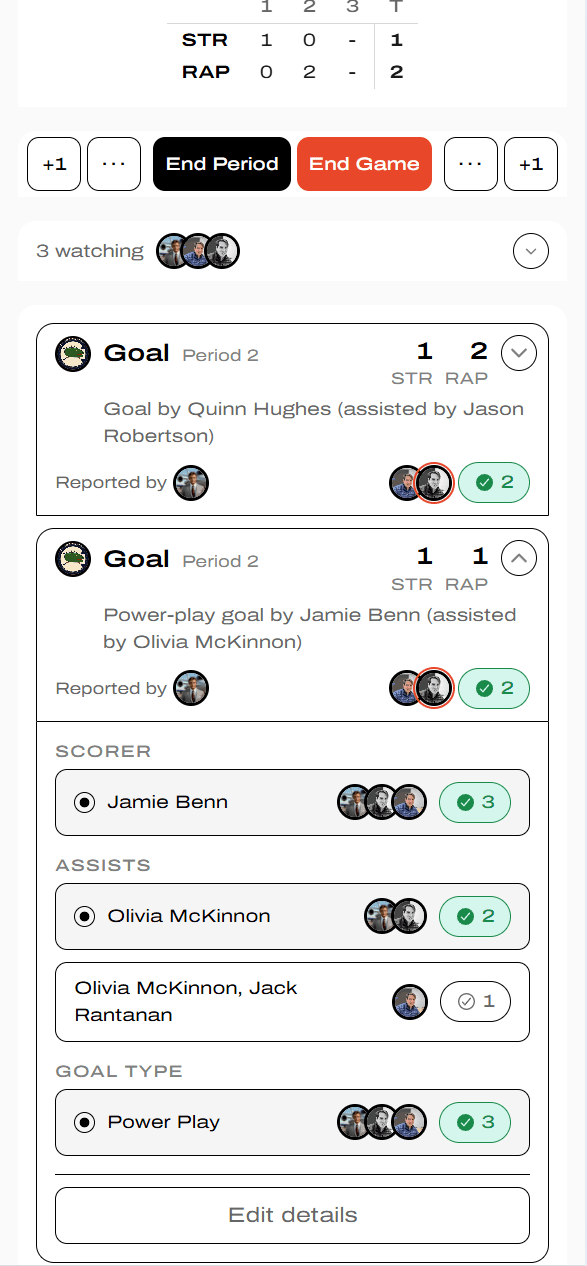
Alt claims live alongside the leader
When someone proposes a different scorer, assist, or goal type, the expanded view shows both versions per field. The version with the most confirmations is the leader (shown in green); alt claims sit below until they overtake or fade.
Don't worry about getting it perfect on the first tap — YAWK's whole point is that imperfect inputs converge to the right answer through agreement.
What YAWK tracks
Scoring events and scoring stats only
YAWK records scoring events — goals, runs, points — and the stats derived from them (scorer, assist, RBI, goal type, etc.).
Non-scoring stats are not currently tracked. If you're used to box scores with Shots on Goal (hockey), Batting Average (baseball), Rebounds (basketball), and similar, those aren't here yet — only what's directly tied to a scoring event.