
Watch games and view player profiles
Anyone can follow YAWK on yawk.fun — watch games live in the browser and look up player stats and team history. No app, no account.
Watch a live game
Find a live game
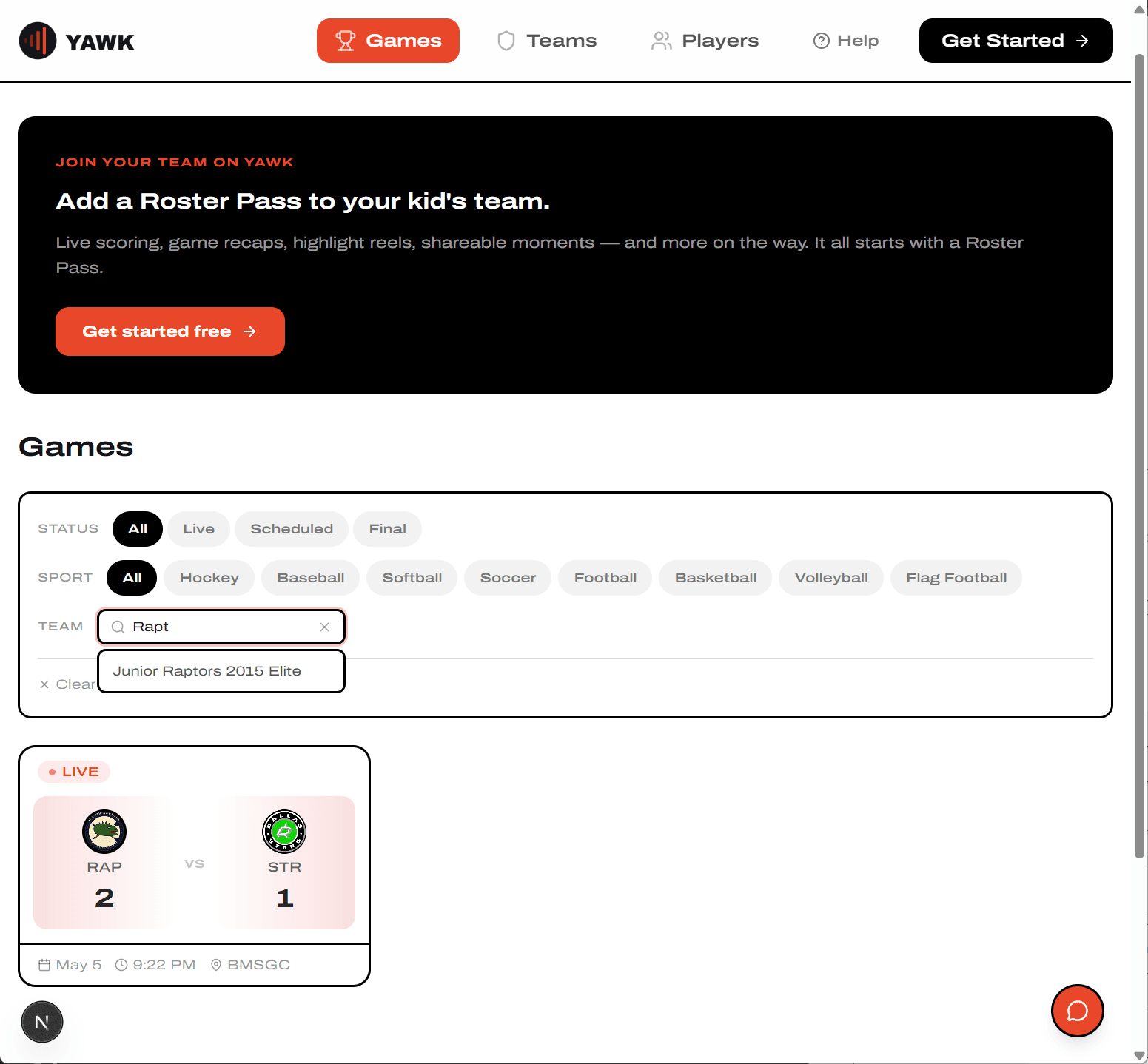
Open the Games tab on yawk.fun. Filter by status (All / Live / Scheduled / Final), sport, or team. Live games show a red LIVE tag and stay pinned to the top of the list.
Watch it update in real time
Tap a game to open the detail page. The Headline Score, Block Score, and Play by Play all refresh automatically as the official scorers tap.
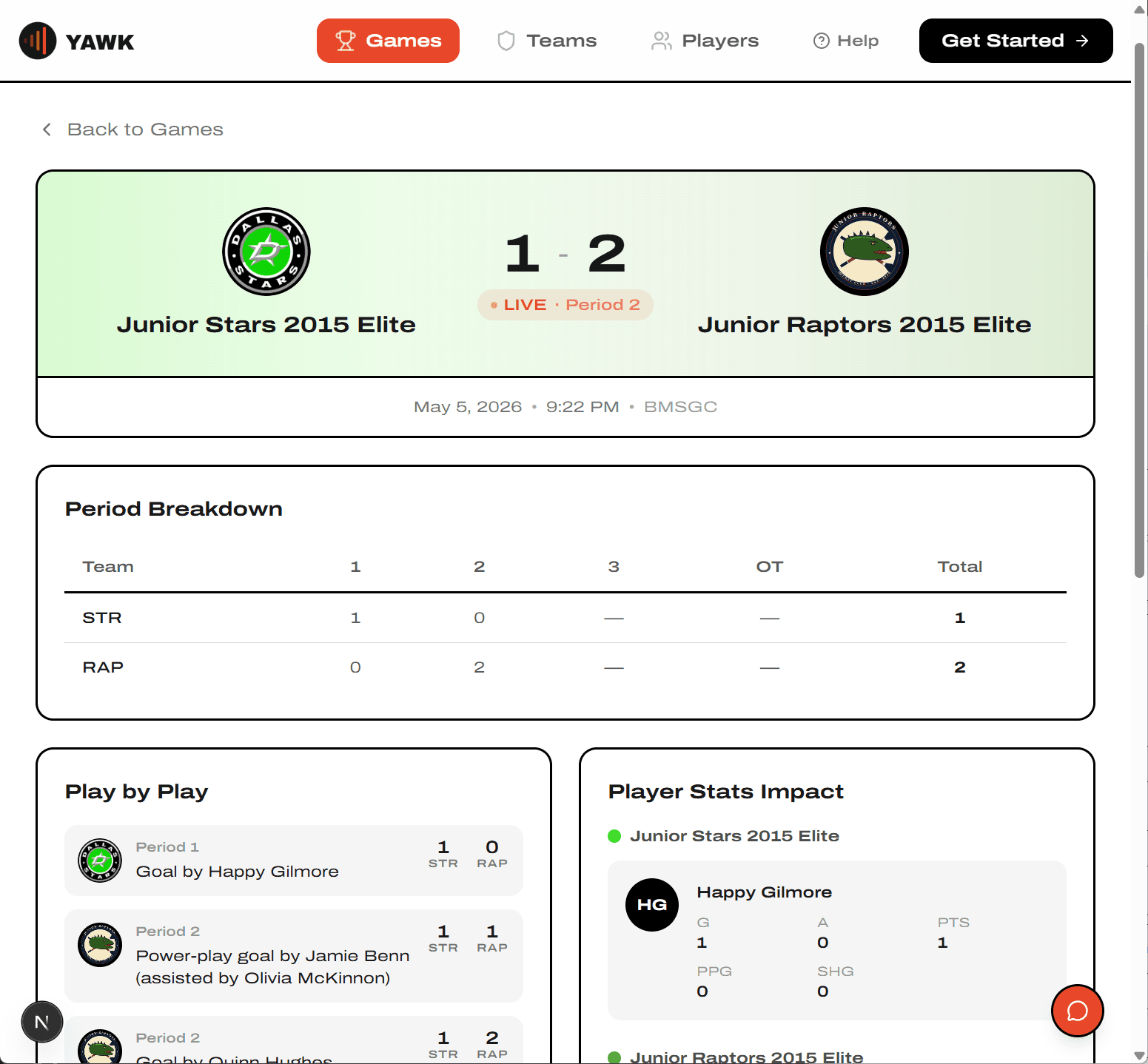
Slight delays are normal — updates land as fast as the scorers can tap.
Scroll for per-player stats
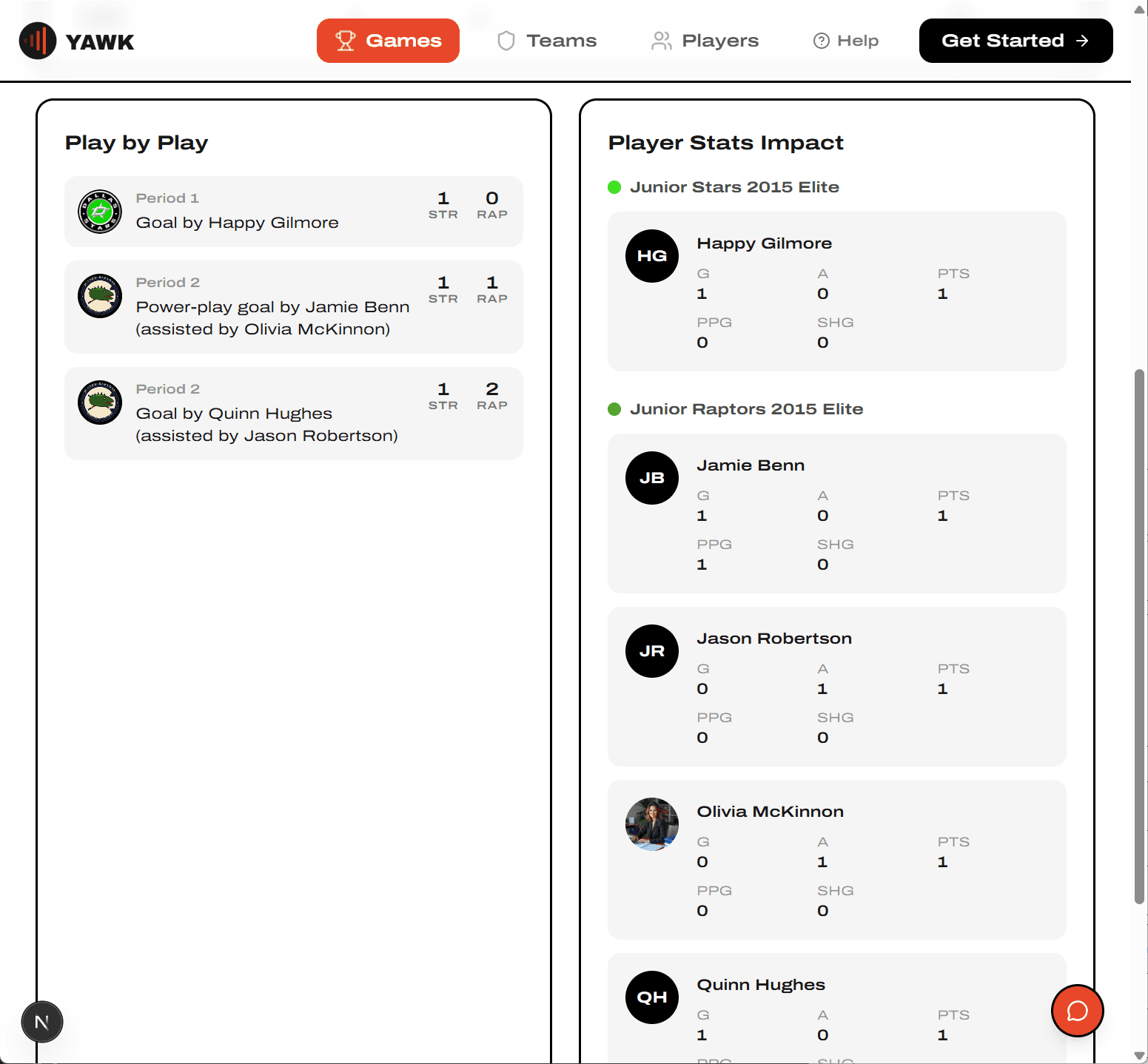
Below the Play by Play, the Player Stats Impact panel shows each player's contribution to this game (goals, assists, points, plus sport-specific lines like PPG and SHG for hockey).
View a player profile
Find a player
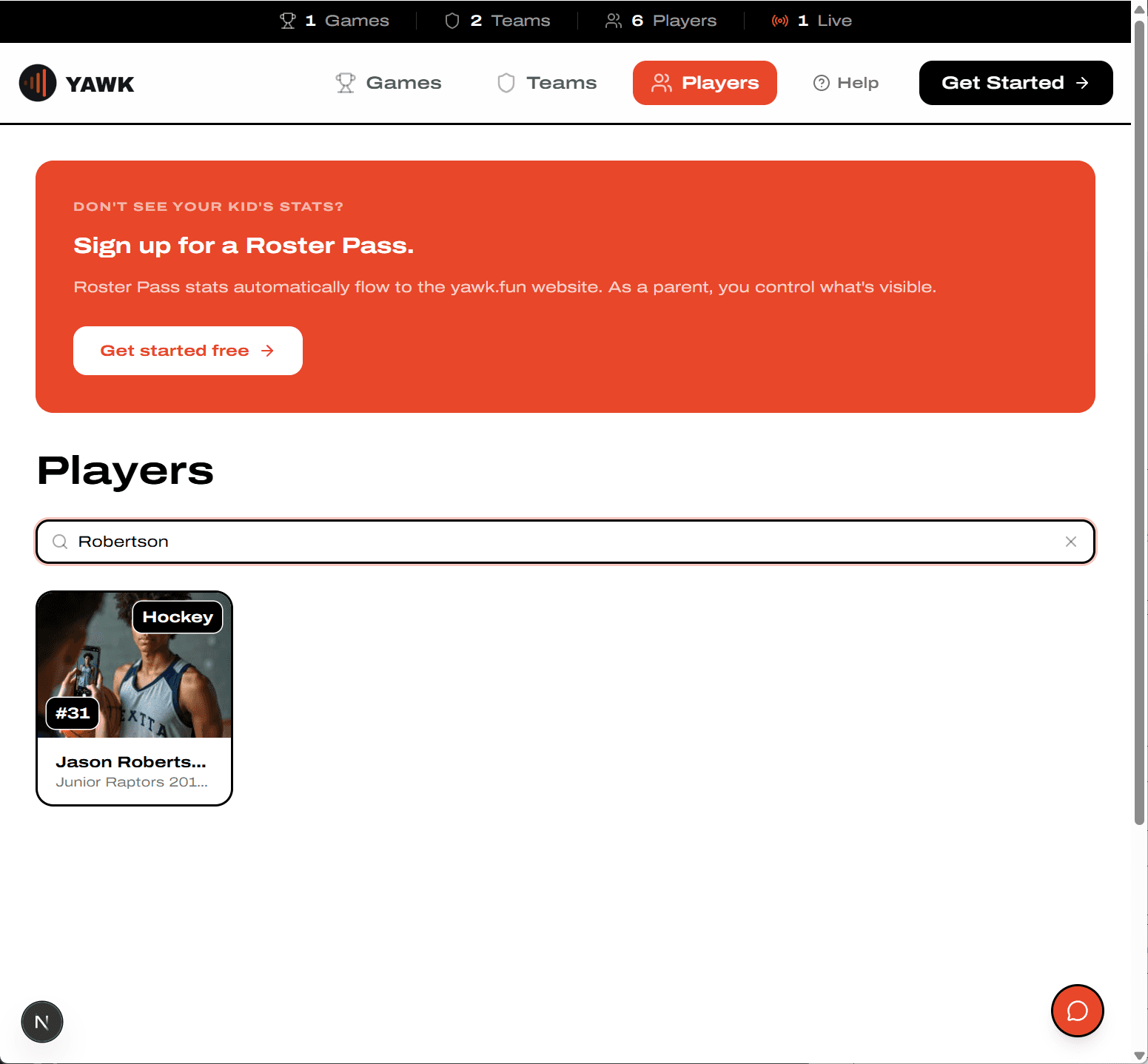
Open the Players tab and search by name. Player names are tappable across yawk.fun — game pages, team pages, Play by Play — so you can jump in from anywhere.
Players who play more than one sport have a separate profile for each sport — stats don't mix across sports.
Read their stats
Each profile shows Career Stats, per-Season Stats, and Recent Games with the score and that player's contribution. Tap any team to dive into its season.
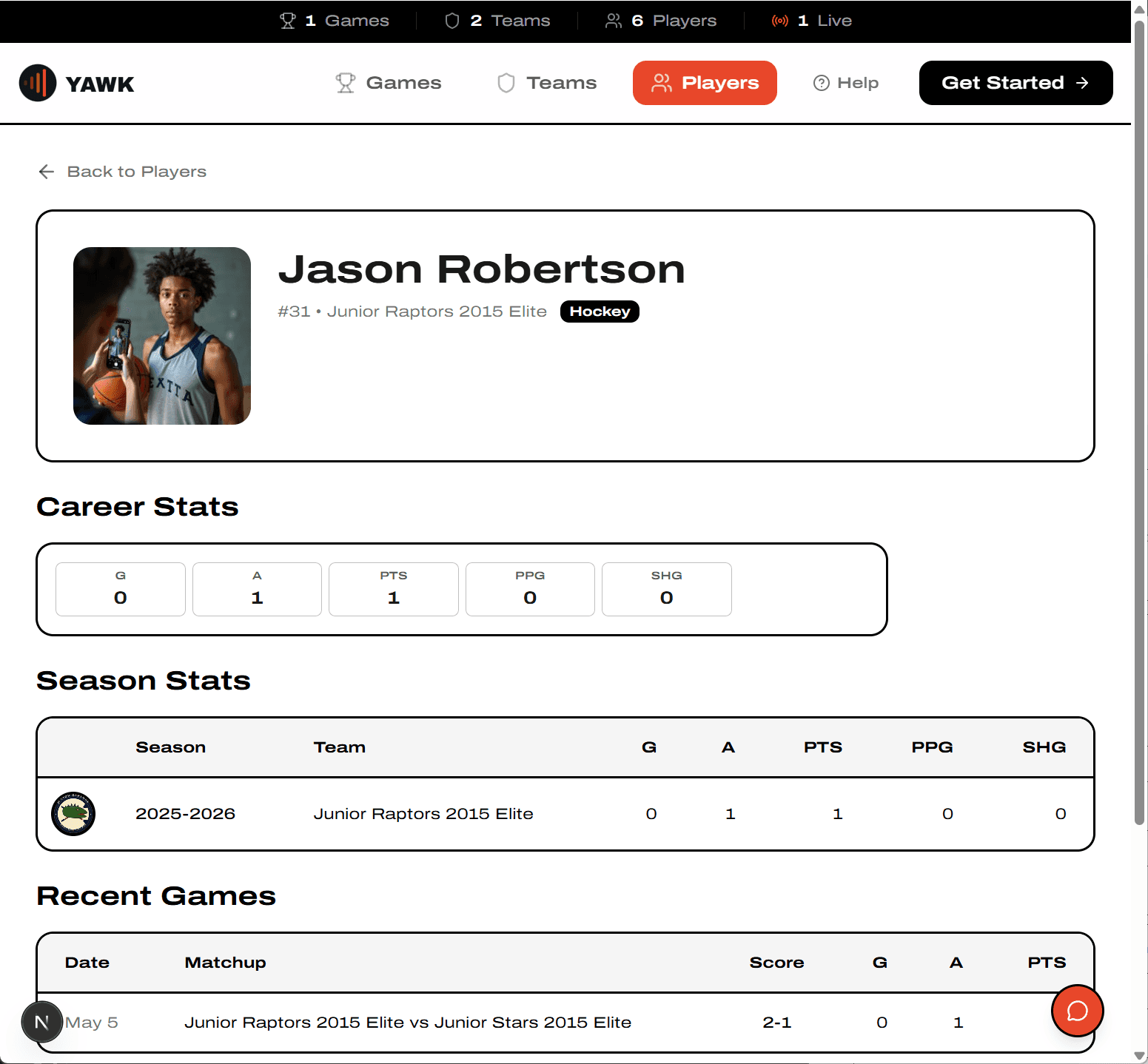
What's shown depends on the player's privacy settings. Parents can hide a profile, hide photo or jersey, or show first name + last initial only.