Buy a Roster Pass / Create a Team
A Roster Pass is how a family joins a team, and a parent can start a team with one. A coach can also start a team with a Team Pass. Your household's first Roster Pass is free.
Open the Passes page
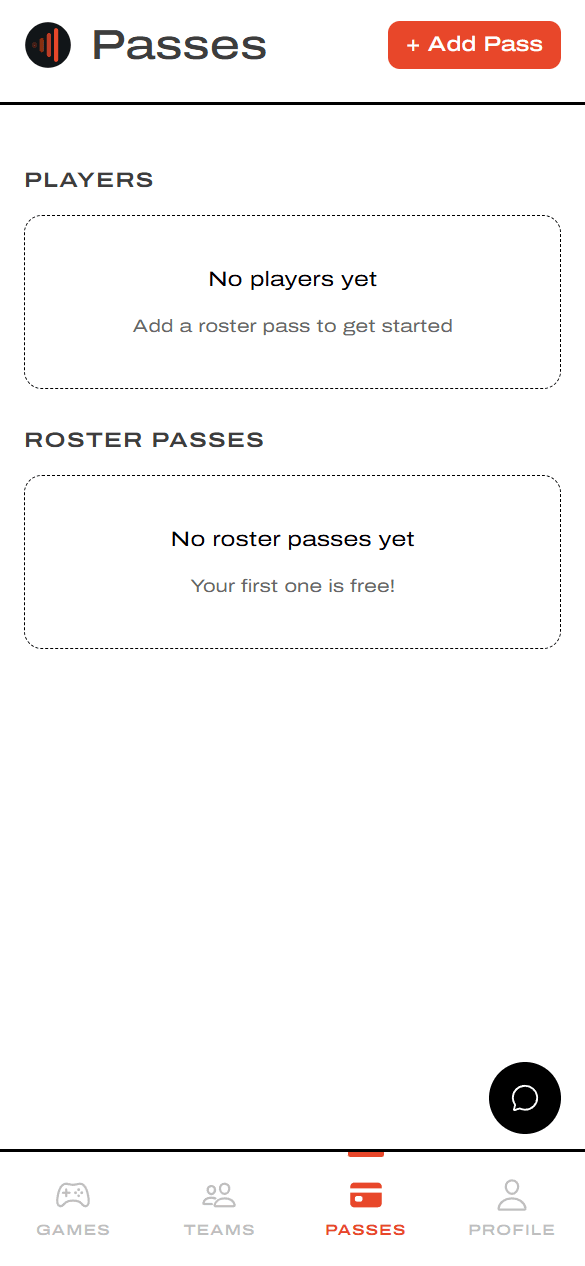
Tap Passes, then + Add Pass
From the bottom nav in the app, tap Passes. Tap + Add Pass in the top-right to start a new one.
Choose who the pass is for
Pick the player
Pick the option that matches who's playing.
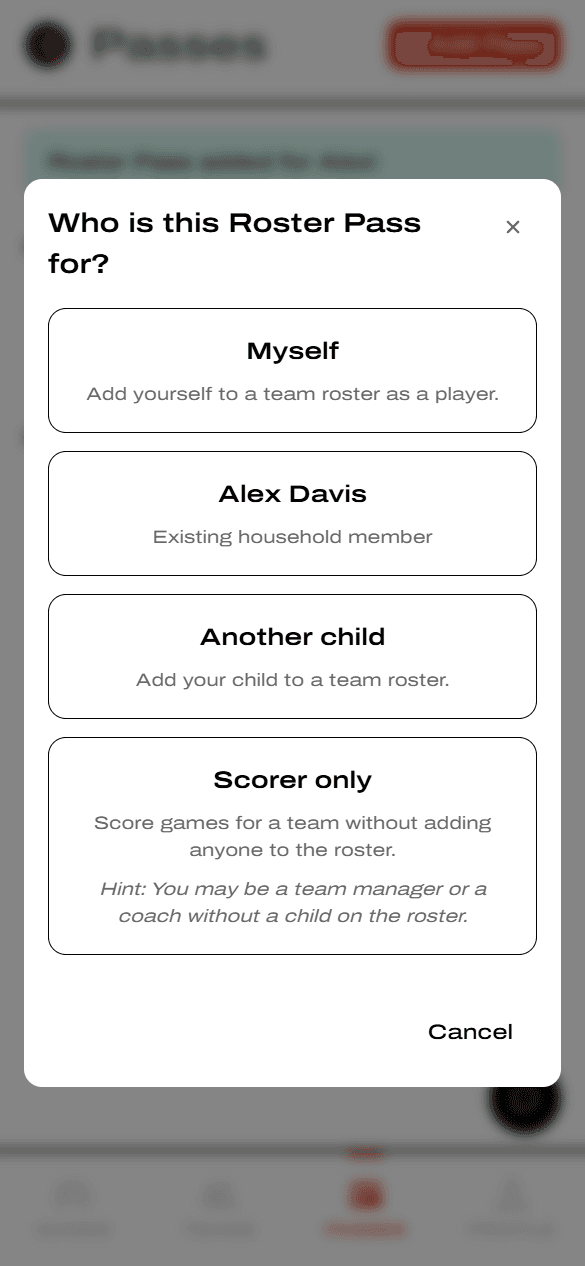
- Myself — you're the player.
- Household member (e.g. Alex Davis) — a child you've already added.
- Another child — a brand-new player.
- Scorer only — a coach or manager scoring without anyone on the roster.
Scorer only is different: there's no roster step and no player profile.
Find or create the team
Teams only get added to YAWK when someone buys a Roster Pass for them — there's no separate "create team" step elsewhere. The first parent or coach to buy a pass for a team is the one who creates it. Everyone after that just searches for the team and joins.
Search for the team
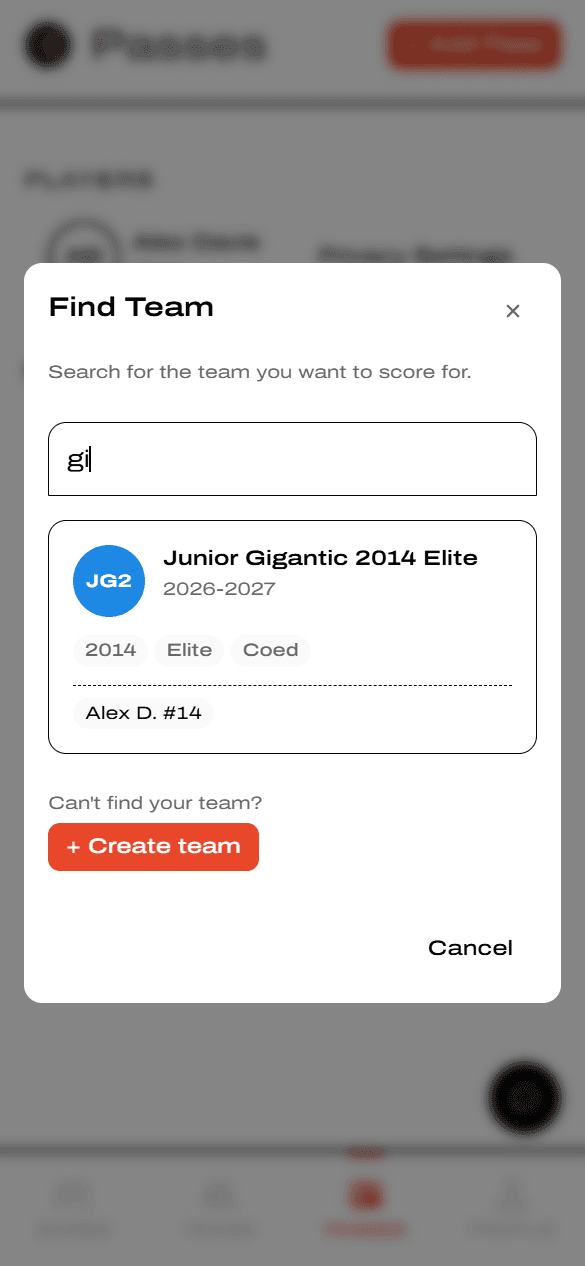
Type the team name. Use the full name parents would search for — city plus mascot. If your team is already on YAWK, tap it to select and move on.
Or tap + Create team
Don't see your team? You're the first one — tap + Create team. You'll fill in the team's details and add the player in the same flow.
Search before you create. Try a couple of variations of the name (with and without the city, or just the mascot) so you don't accidentally make a duplicate team.
Set up a new team
If you tapped Create team, the next two screens cover the team's info and the roster row for your player.
Fill in the team info
Pick the Team Type (Club, School, Rec…), enter the Team Name and a short Nickname, then choose Sport, Season, Age Group, Level, and Gender.
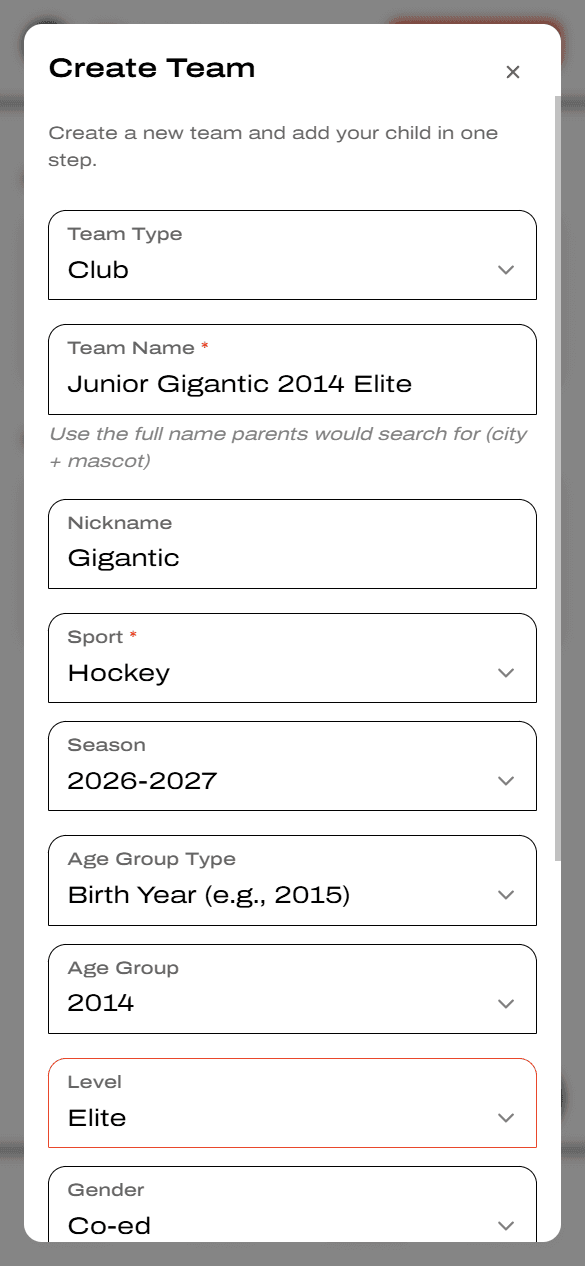
Add the player to the roster
If you picked an existing household member, just enter the Jersey Number. If you picked Another child, also enter their First Name and Last Name. Tap Continue.
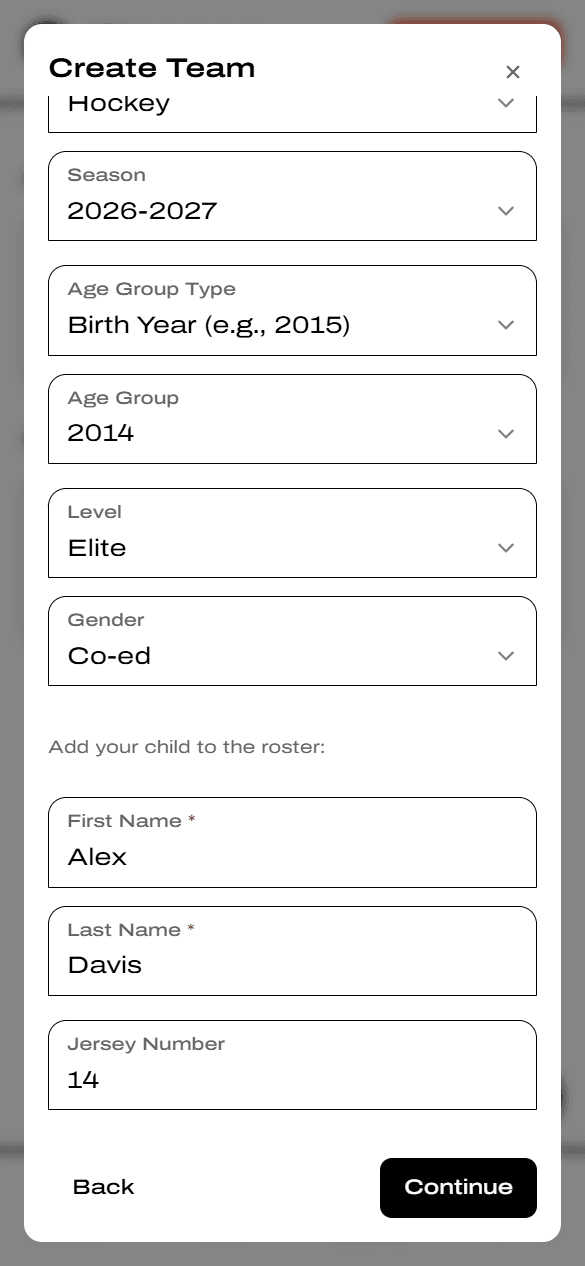
Existing household member? You'll just see their name and a Jersey Number field — no need to retype their info.
Confirm and pay
Review your Roster Pass
Check the player and team. Your first Roster Pass is FREE — tap Get Free Pass to finish. Additional passes are $7.99 each.
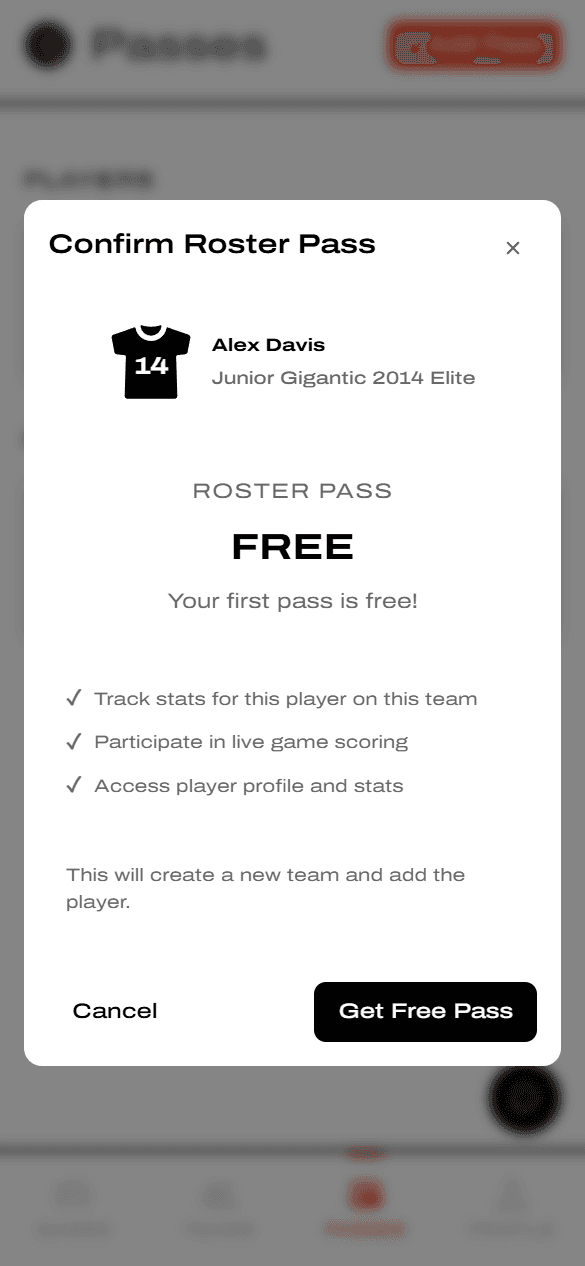
Your first Roster Pass on YAWK is always free — no card required.
Pay with Stripe (paid passes)
For paid passes, the YAWK-branded Stripe checkout opens at $7.99. It's a one-time charge that covers the whole season — no subscriptions, no auto-renewals. Tap Add code to apply a promo code if you have one.
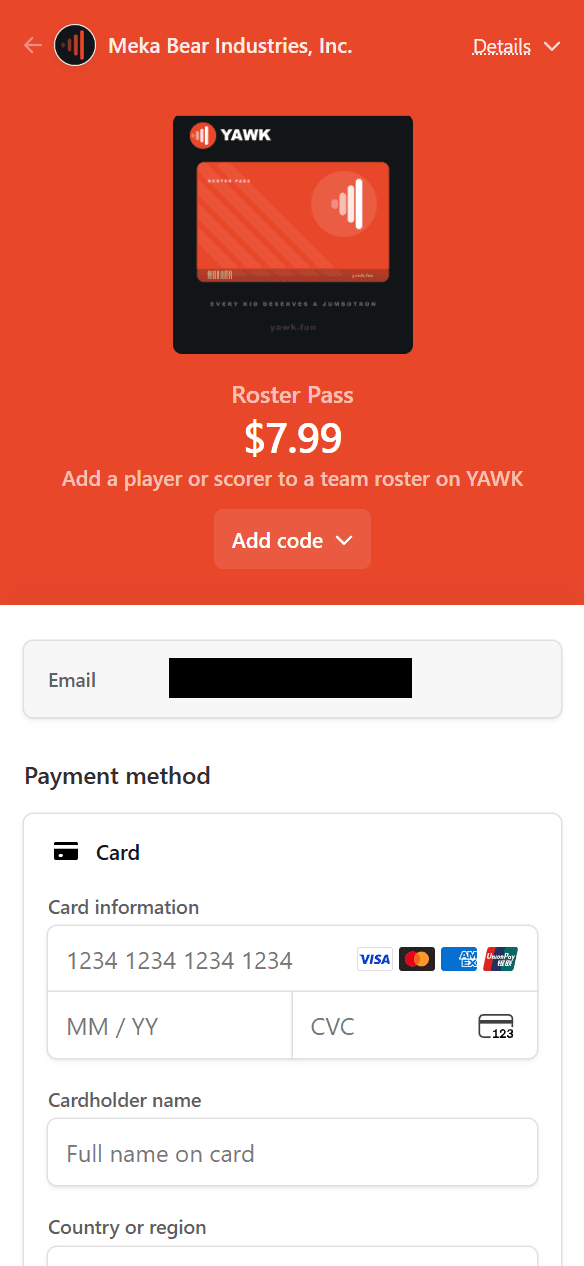
See your pass
Back on the Passes page
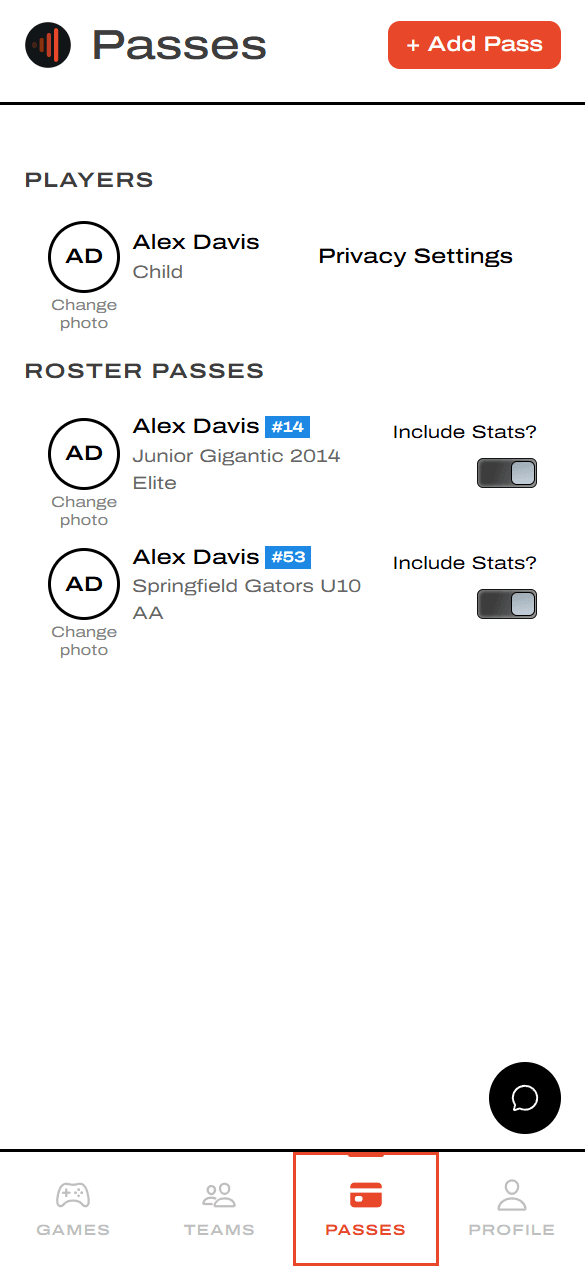
When checkout finishes, your pass shows up under ROSTER PASSES with the player, jersey number, and team. Use Include Stats? to control whether this player's stats count toward season totals.